

Poor Wi-Fi performance directly correlates with revenue loss. Data indicates that 79% of mobile workers prioritize reliable internet when choosing a remote workspace. Furthermore, 52% of customers report they will not return to a venue after a single instance of connectivity failure. For a modern cafe, Wi-Fi is not an amenity; it is a critical utility.
The Impact of Connectivity on Cafe Operations
| Metric | Impact of Substandard Wi-Fi | Impact of Managed Wi-Fi | | :--- | :--- | :--- | | Customer Retention | 40% decrease in repeat visits | 85% increase in customer loyalty | | Transaction Speed | 15-30 second delay per POS transaction | Sub-1 second processing time | | Table Turnover | Inefficient due to "squatters" on slow signal | Optimized via timed access tokens | | Staff Productivity | 20% time lost to troubleshooting | 0% time lost to tech issues |
1. Utilization of Consumer-Grade Hardware
Challenge: Most cafe owners deploy routers designed for residential use. These devices are engineered for 5–10 concurrent connections. A typical cafe environment requires support for 50–100+ simultaneous devices, including laptops, smartphones, and tablets.
Solution: Deploy enterprise-grade Access Points (APs). These units feature high-performance processors and Multi-User, Multiple-Input, Multiple-Output (MU-MIMO) technology to handle dense traffic loads.
Results:
- Elimination of router crashes during peak hours.
- Support for 100+ concurrent users per AP.
- Stable throughput for high-bandwidth applications.
2. Lack of Network Segmentation (VLANs)
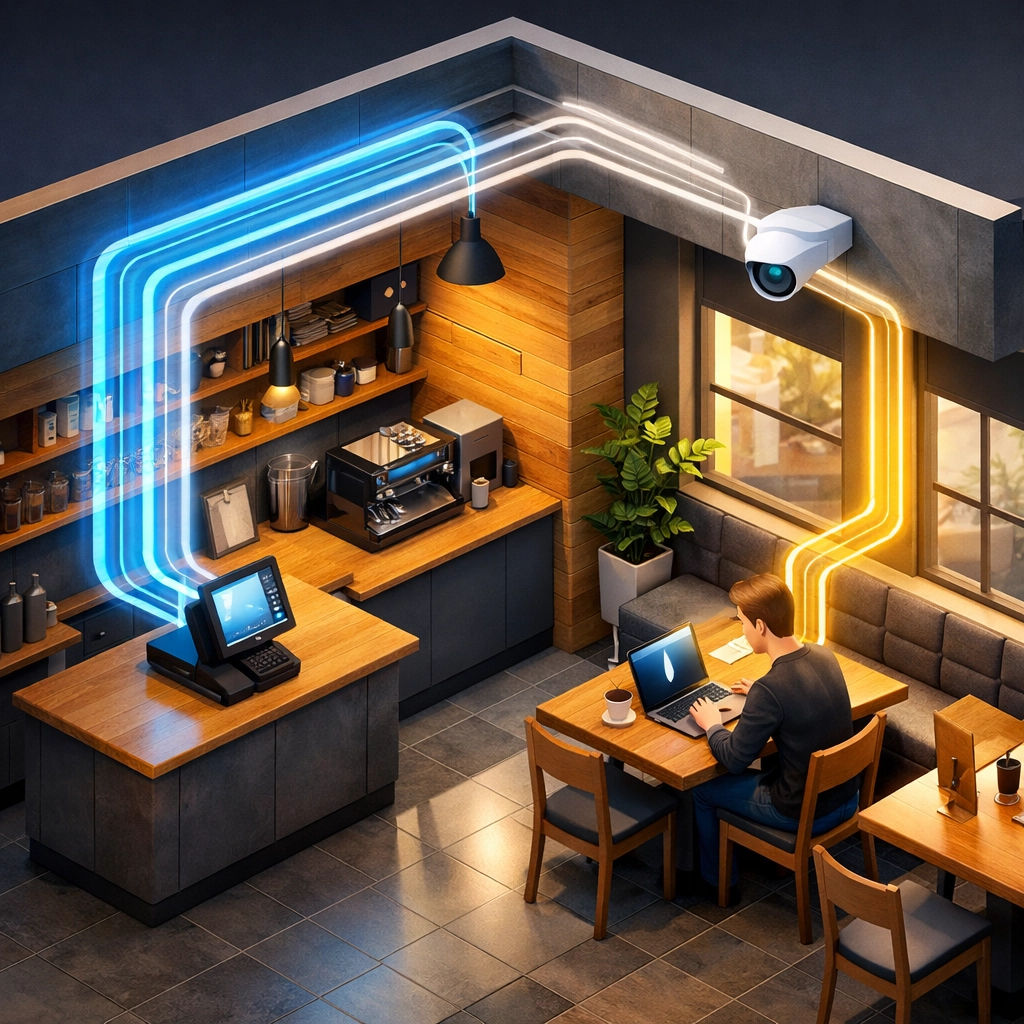
Challenge: Operating Point of Sale (POS) systems, security cameras, and guest Wi-Fi on a single network creates a bottleneck. Guest traffic competes for bandwidth with critical business operations, leading to slow credit card processing and jerky surveillance footage.
Solution: Implement Virtual Local Area Networks (VLANs). Segment your traffic into three distinct lanes: Operations (POS/Back office), Security (Cameras), and Guest Wi-Fi.
Results:
- 100% isolation of sensitive financial data from guest access.
- Guaranteed bandwidth for POS systems to ensure zero transaction delays.
- Enhanced cybersecurity posture.
3. Bandwidth Saturation and "Hogging"
Challenge: A single customer streaming 4K video or downloading large software updates can consume the entire available bandwidth, leaving others with "spotty" service.
Solution: Configure per-user rate limiting and Quality of Service (QoS) rules. Set maximum download speeds for individual guest devices (e.g., 5 Mbps) to ensure equitable distribution.
Results:
- Uniform experience for all guests regardless of neighbor activity.
- Reduction in complaints regarding "slow" internet.
- Stable performance for basic browsing and email tasks.
4. Physical Signal Obstructions
Challenge: Thick walls, metal appliances (espresso machines, refrigerators), and mirrors reflect or absorb Wi-Fi signals. Placing a router in a back office or under a counter drastically reduces its effective range.
Solution: Perform a wireless site survey. Relocate APs to central, ceiling-mounted positions. Use FollowThrough Works cafe solutions to identify dead zones using heat mapping technology.
Results:
- 35% increase in signal strength across the seating area.
- Elimination of "dead zones" in corners or patio areas.
- Optimized coverage using fewer hardware units.
5. Frequency Interference and Channel Overlap
Challenge: The 2.4 GHz frequency band is overcrowded. Microwaves, cordless phones, and neighboring businesses' Wi-Fi signals create "noise" that disrupts your data packets.
Solution: Force guest devices onto the 5 GHz or 6 GHz (Wi-Fi 6E) bands. Use automatic channel selection to switch to the least congested frequency dynamically.
Results:
- Significant reduction in packet loss.
- Faster connection speeds for modern devices.
- Lower latency for video calls and VOIP.

6. Outdated Firmware and Security Protocols
Challenge: Manufacturers release firmware updates to patch security vulnerabilities and improve performance. Outdated firmware leads to memory leaks, causing routers to require frequent manual reboots.
Solution: Automate firmware management. Ensure all networking gear uses WPA3 encryption to protect both the business and the customers.
Results:
- 99.9% uptime through automated maintenance.
- Protection against "Man-in-the-Middle" attacks on guests.
- Reduced manual intervention by staff.
7. Poor Quality or Aging Cabling
Challenge: Even the best Wi-Fi AP is limited by the cable connecting it to the modem. Old Cat5 cables or damaged connectors limit speeds to 100 Mbps, even if your ISP provides 1 Gbps.
Solution: Audit and replace infrastructure with Cat6 or Cat6a cabling. Ensure all cables are shielded if they run near electrical lines.
Results:
- Full utilization of ISP-contracted speeds.
- Removal of physical bottlenecks in the network backbone.
- Long-term reliability of hardware connections.
8. Misconfigured Firewalls and Content Filtering
Challenge: Over-restrictive firewalls can scan every packet too deeply, slowing down the connection. Conversely, no filtering allows users to access high-bandwidth or inappropriate sites that consume resources.
Solution: Implement "Lightweight" DNS-based content filtering. Block high-risk sites and high-bandwidth services (like BitTorrent) at the network level.
Results:
- Optimized processing speed for the gateway.
- Reduced legal liability for the business owner.
- Streamlined traffic flow.
9. Device Cache and Driver Incompatibility
Challenge: Sometimes the "slow Wi-Fi" isn't the network: it's the guest's device. Old drivers or a bloated browser cache can make a fast network feel sluggish.
Solution: Deploy a professional "Splash Page" (Captive Portal) that provides basic troubleshooting tips to guests upon login.
Results:
- Reduces the number of times staff are asked for technical help.
- Empowers users to fix their own local device issues.
- Professionalizes the first interaction with the brand.
10. Manual Network Management
Challenge: Cafe owners often spend hours "turning it off and on again." Manual management is reactive and results in downtime during peak hours before the problem is even noticed.
Solution: Switch to Managed Wi-Fi Automation. FollowThrough Works provides proactive monitoring that fixes issues before they impact customers.
Results:
- 24/7 proactive monitoring.
- Instant alerts on hardware failure.
- Remote troubleshooting that eliminates the need for on-site tech visits.

How to Fix Your Cafe Wi-Fi in 3 Steps
- Audit Your Current Infrastructure: Identify if you are using consumer-grade gear. Check our core offerings for enterprise hardware standards.
- Contact a Specialist: Don't guess where to put your routers. Professional placement saves money and improves performance. Book a call with FollowThrough Works.
- Automate Management: Move from a reactive to a proactive model. Automated Wi-Fi management ensures your network stays fast while you focus on making coffee.
FollowThrough Works Wi-Fi Automation Solutions
We specialize in Managed IT Services for high-traffic environments. We deploy hardware that works and software that monitors it 24/7.
- Zero-Touch Deployment: We configure and ship your gear. Just plug it in.
- Custom Splash Pages: Capture customer data for marketing while providing secure access.
- Traffic Shaping: We ensure your POS always comes first.
Stop losing customers to bad internet. Secure your connection, stabilize your speeds, and scale your business with FollowThrough Works' Technology Solutions.
Ready to upgrade? Request Availability and Pricing | Explore Cafe Add-ons